 by
by 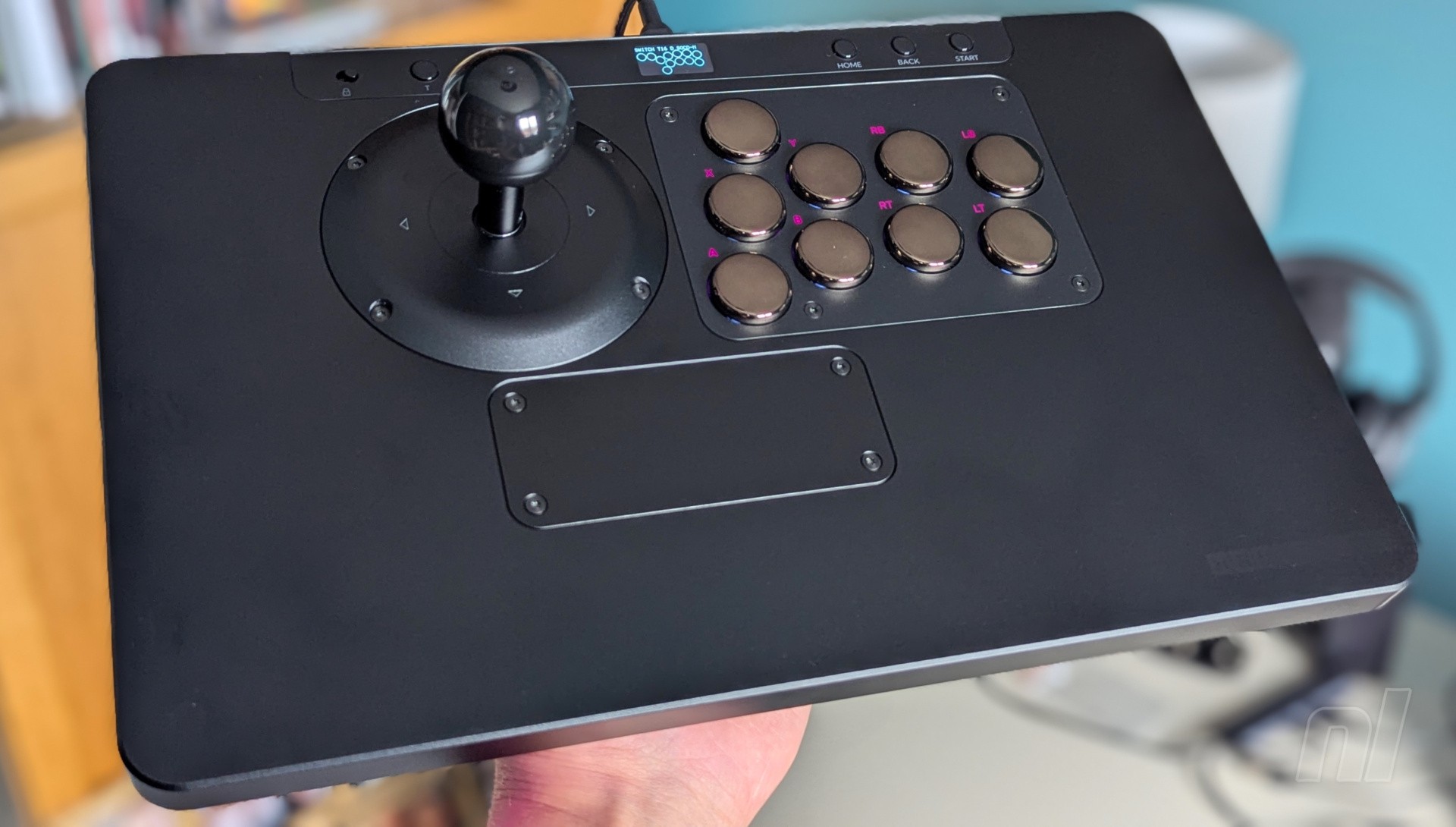
Cosmox Gaming is best known for its Haute Pad range of arcade controllers, many of which can be considered budget options for fight fans, while pretty much all of them are immediately compatible with the Switch and Switch 2.
The HautePad X wired controller is a slightly different proposition, and it’s a wild one. It’s comfortably the most premium of Cosmox Gaming’s controllers at a base price of $229.99, and there's a good reason for that. Unlike most arcade controllers which just have one main function, the X boasts several thanks to its modular design.
If you opt for every available module (which ramps up the price even more; the low-profile suite alone costs $69.99), you can completely customise the X to your liking, swapping out the full-profile ‘Ice Cream’ switches for low-profile ‘Wind Engine’ switches, inserting a pair of analogue sticks, or even completely ditching the leverless approach for a more traditional joystick. It’s a remarkable design, and I could definitely see other manufacturers attempt something similar in the future.
The X comes with its own carrying case, and it's worth highlighting this right off the bat. It looks like an average laptop bag from the outside, but opening it up reveals two main compartments. The top houses the controller itself, while the bottom contains compartments for any additional modules and tools you might want to keep handy. There’s no dedicated slot for the joystick module, which launched later, so you’ll need to figure out how best to transport this if you’re taking the controller out and about.
Closing the case also reveals an indentation around the edge that displays the Cosmox Gaming logo, and this is perfectly placed to act as a makeshift ‘cushion’ of sorts if you happen to play on your lap. This gives the controller more height and may prove more comfortable for some players, while the indentation prevents it from moving during more intense gaming sessions.
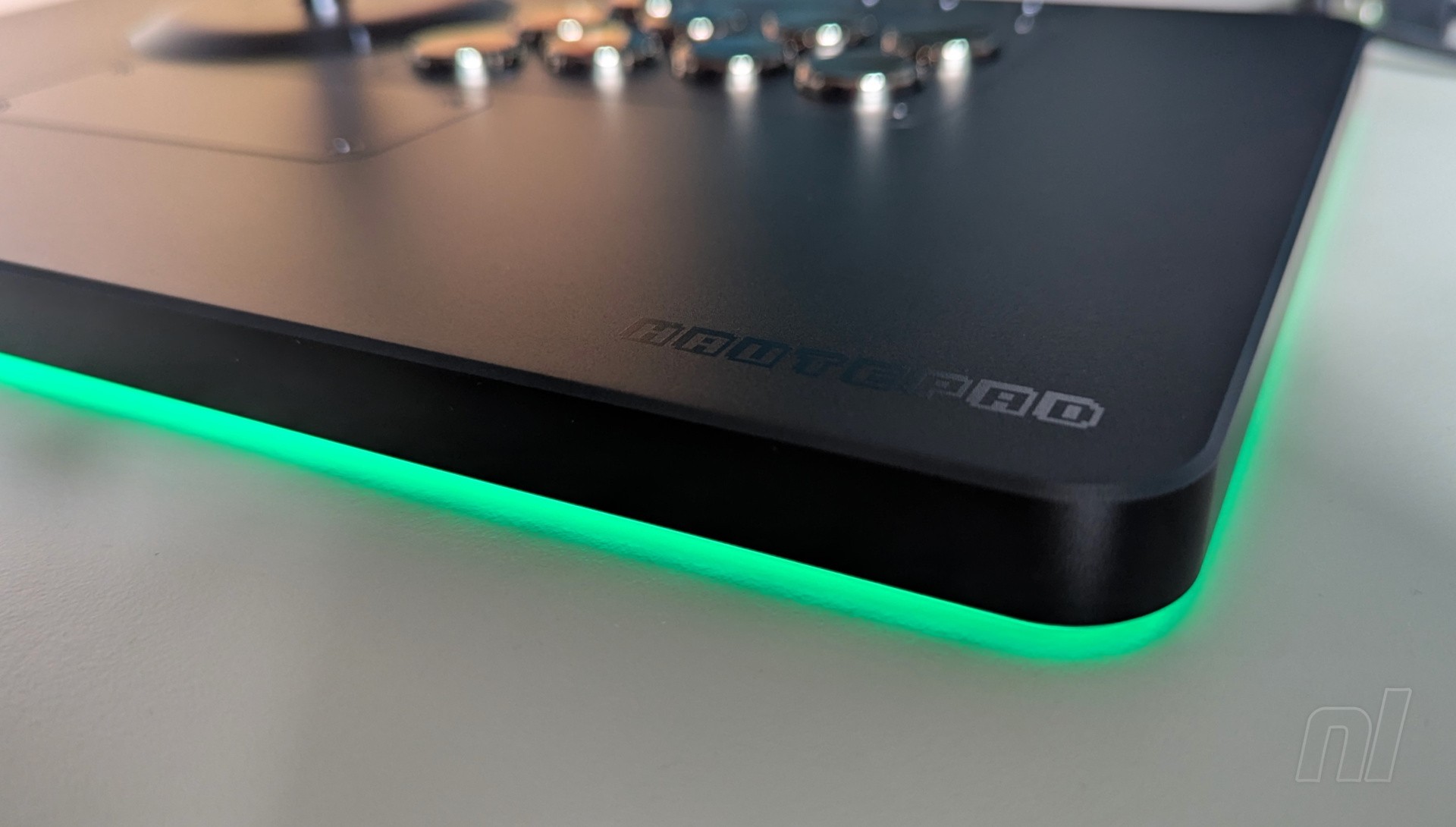
The controller itself is exceptionally well-made, with the majority of the body constructed from aluminium with RGB lighting around the entire edge. It weighs in at 1.32kg (or 2.92lbs) with an elegant, minimalist design with two subtle logos in each lower corner. Across the bottom, meanwhile, is a full non-slip cover to keep it nice and secure when playing on a desk. Even if you don't get any additional modules, this is a superb leverless arcade controller on its own.
Despite the brushed finish of the aluminium, I did notice that it still picks up the odd fingerprint here and there. They mostly fade away, but heavy usage over time may result in some unsightly marks. Keep it clean with a microfibre cloth, and you’ll be fine.
A function bar at the top contrasts the main body with a glossy finish, and contains the home button, +, –, back, and turbo (in Switch mode, '–' actually functions as the 'Capture' button). On the left, you’ll find a tournament lock toggle, while a small OLED screen is situated in the middle. This displays your button presses in real-time while also providing information on which profile you’re using along with any SOCD cleaning modes.
Speaking of which, you’ll need to make sure to set the controller to the correct profile to use it with Switch or Switch 2. This is easy: looking at the module on the top right, these contain your action buttons, and all you need to do is hold in the bottom left button (labelled ‘A’) while plugging the device into the Switch. Done!
The controller will remember your profile, too, so you won’t need to faff about with this whenever you want to play; just plug it in and off you go. Those on PS5 and Xbox will need to purchase a separate authenticator to plug into the top right USB slot, but Switch owners needn't worry about this at all. Happy days.
One thing to keep in mind, however, is that the HautePad X comes with built-in LED lights to label the buttons; similar to those found on the 8BitDo Arcade Controller. This isn't dynamic, though, so when you set the device to Switch mode, the button functions won’t match up with the labels. So ‘A’ becomes ‘B’, ‘X’ becomes ‘Y’, and so on. Once you’ve played a few games, you’ll soon become accustomed to the layout and you won’t even need to consult the labels, but it’s something to watch out for if you’re just getting started.
Now onto the modules. Starting with the left directional buttons, you can customise this with high-profile switches, low-profile switches, WASD keyboard switches, or a joystick. Excluding the joystick for a moment, the other three modules can also be angled up to 30° by loosening the two screws and turning the module while it’s in place. It’s worth just placing your fingers over the buttons and seeing what feels most comfortable, then simply angle the module accordingly.
The screws are crucial to swapping out the modules, and the HautePad X comes with the correct screwdriver to remove and install each piece. With the Switch 2 showing just how convenient magnets can be, there’s a small part of me that wishes the X utilised this technology for convenience. On the flip side, waggling the joystick module about would make me quite nervous about yanking it out entirely, so having the screws in place to keep everything secure feels like the right move.
With the bottom module, you can customise this with analogue sticks and an optional blank module if you happen to be using the joystick, plus the usual high/low profile switches. The analogue sticks are the one part of the entire controller that caused me quite a lot of hassle, and it’s because they’re simply not plug and play.
Using them correctly requires a fair bit of remapping via the configuration tool (which is accessed by plugging the device into a PC), merely thanks to the nature of using sticks vs. standard buttons. Even when you’ve got everything working, playing the likes of Metroid Prime Remastered or Zelda: Breath of the Wild isn’t ideal or comfortable. I suspect that something like JunkFood Arcade’s new SWORL controller might be better suited for these types of games, since it’s built with this configuration right out of the box.
The right module comes with just two options: high-profile and low-profile switches – easy, so let’s move on to the joystick module. This thing is awesome and, unlike the analogue sticks, works straight away. This is because there are four Ice Cream switches housed in the base, so the movement of the stick hits these switches accordingly, thus creating the correct input.
It also comes with three optional input gates, so if you’re not keen on the curved square gate, you can swap this out for circular or octagonal options. Similarly, the module even comes with two additional springs for the joystick, so you can customise the tension. I found the default was pretty much spot on. Finally, the joystick topper screws off, so if you want to purchase something a bit flashier than the basic black model, then that’s an option. All in all, as accurate as leverless controllers are, there’s just something inherently fun about a more traditional joystick, and it works wonderfully.
As I mentioned earlier, you could get this controller as it is, no modules, and have a grand ol' time with it. The default high-profile switches are great and are perfect for the likes of Street Fighter 6 and Guilty Gear -Strive-, but I personally stick to the low-profile suite as my go-to. There's slightly less travel required for each button press, and I'd say they're slightly quieter too. Whichever option you go for, the spacing of the switches is slightly closer together compared to 8BitDo's offering, so this is especially beneficial for those with smaller hands; you're not going to be stretching all over the place to pull off those sick combos.
As for the WASD module, this is a particularly great option for 2D platformers. Things like Contra Anniversary Collection or even the likes of Super Mario World on NSO feel really satisfying, and unlike a lot of d-pads these days which can sometimes register incorrect inputs, having each direction on a separate key naturally renders this particular issue null and void.
Conclusion
The HautePad X is a marvel of modular design. The fact that most of the modules can simply be slotted into place without having to faff around with wires is mad, and whether you're into low-profile, high-profile, or WASD switches, or you prefer a more traditional joystick, most options here are simply excellent.
The downside is that the (optional) analogue stick module is a bit of a hassle to set up, and even when you're good to go, it can't replace the comfort of a standard controller. With this in mind, while the HautePad X is striving to be more than just a fight pad, its overall appeal may still be limited to the fighting game community. If you fit into that group, then what you've got here is one of the best options available for Switch and Switch 2 right now – just so long as you can stomach the premium price point.
Please note that some external links on this page are affiliate links, which means if you click them and make a purchase we may receive a small percentage of the sale. Please read our FTC Disclosure for more information.
Thanks to Cosmox Gaming for providing the sample used for this review.


Comments 13
Whoa. If only I had, um, money!
Whoa, that screams premium all over the place, from its awesome look to the steep price. I hope those who get one enjoy it as much as possible, but that's not for me, unfortunately
looks a bit rough, imo.
I think I wouldn't like the "mound" that the stick sits upon.
for my money I'd rather have multiple controllers with different functions than one controller and a bunch of useless parts lying around. OTOH I wouldn't be carrying this thing around in a duffel for rapid field deployment like Jason Bourne, either.
last thing: call me old school, but I think i prefer the kind of buttons which each have a "surround."
✌️ thanks for the review, certainly interesting!
I currently have a doio leverless, but man... this looks like quite the bit of chonk. Honestly, in the world of joysticks, this isn't a bad price at all for what you get. I think anyone here who thinks this is absurdly priced probably doesn't have a lot of experience in the space. Thanks for the review; will look at this in further detail.
@w1p3out Oh yeah, for sure, it's comparable to the Hit Box Ultra, Snack Box Micro, and many others. But there has also been a huge wave of more budget options, especially from Cosmox itself.
I don’t play fighting games but I’ve considered getting the 8bitdo leverless for 2D games to see if I could teach myself to use it. I did try playing Celeste on a keyboard though and it was a bit rough. I could probably tweak some things from what I was doing with the keyboard in terms of mapping and hand position but it would take a lot of practice and I’d probably need to start with simpler games.
No Nintendo layout for ABXY? Come on you almost got it perfectly right!
@mlt Good catch.
@w1p3out
Of course I'm nitpicking there, the pad looks really good regardless.
I imagine I would at least turn off the led layout though so that at least I'm not distracted by the buttons not being what they should.
Are there any decent Arcade sticks that are not too heavy to use on a lap ? (I have a Hori Real Arcade Pro but it’s too heavy. I want decent sticks/buttons but it’s mainly just for playing Arcade Archives games).
@h3s
I have a wired Mayflash arcade stick that feels roughly nearly like a Dreamcast stick. I'm pretty sure they still make them but not positive. 👍
EDIT - also I have no idea if either are considered "good" these days but I loved the DC stick, and I like the Mayflash a lot. ✌️
@h3s hori mini is quite nice
For that price, you shouldn't have to buy any add-ons.
Show Comments
Leave A Comment
Hold on there, you need to login to post a comment...