 by
by 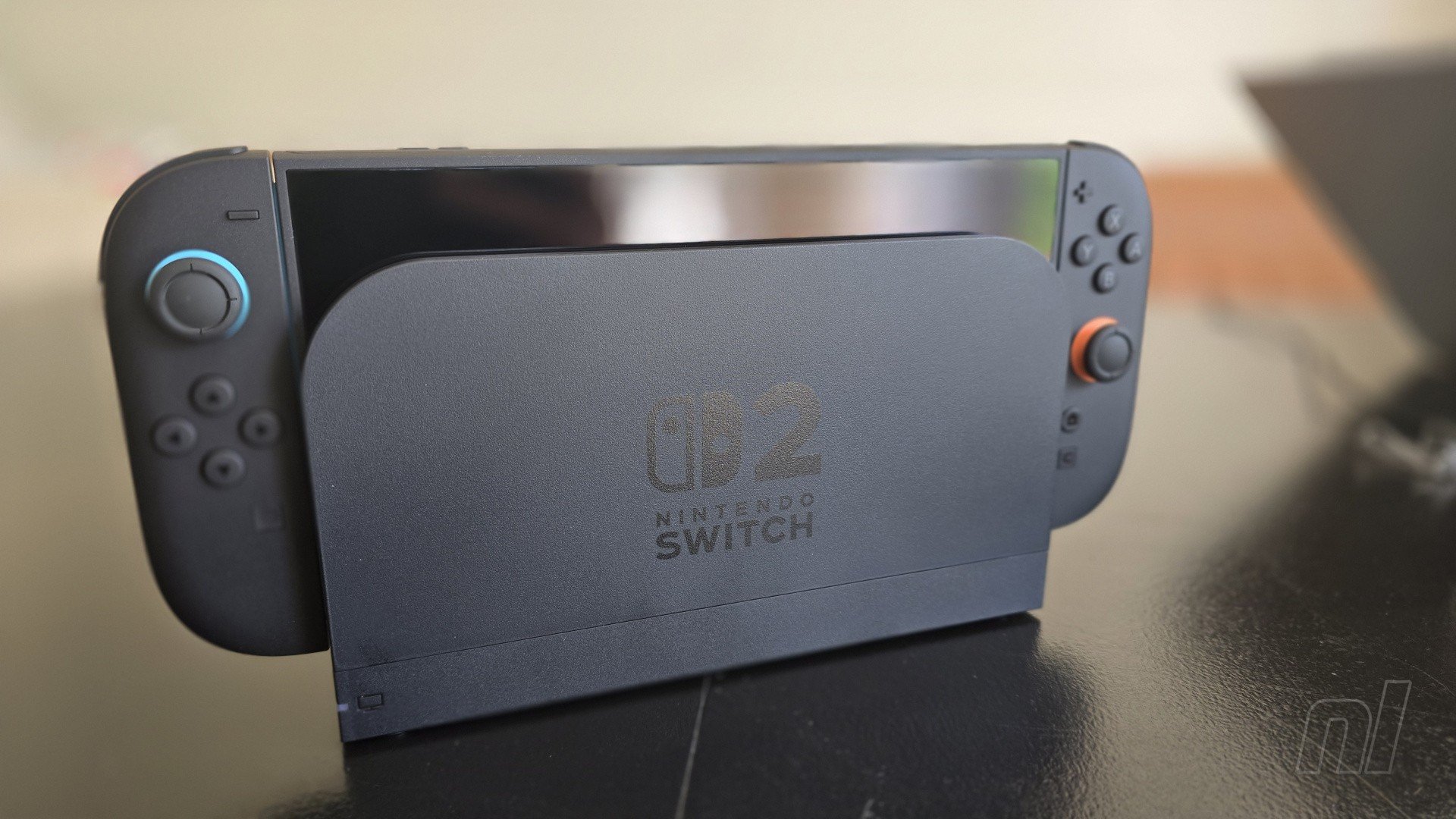
Now, I'm not entirely sure how much you take and use screenshots on your Nintendo Switch or Switch 2 consoles, but let me tell you, I take tons and I use even more. So connecting to a Switch to my laptop via USB has become my go-to way to get my game shots up and ready for scrutiny where I need them.
So, you'll understand, I'm sure, my sadness in finding that you can only transfer data such as screenshots betwixt Switch 2 and PC using the bottom of two USB-C connections whilst using this option. What this leads to, dear friends, is a tragic situation, as you can see in my (terrible) photos, where the Switch 2 needs to be set lying down at an angle as it can no longer sit upright properly. The horror.
Indeed, using the top slot sees you greeted with an easy-to-miss message that, no, you'll need to use the bottom slot.
We're sure there's a perfectly valid reason. It's a shame, though, as if the top USB-C allowed it, I could look approximately 76% tidier (and thusly cooler) being able to do all this with my Switch 2 on its stand all nice and proper. But oh no. Well, not yet, anyway. Maybe Mario or one of those Nintendo big shots will see this and get it sorted.
Of course, there are easier ways to get your pics off your Switch, especially by just uploading screens to your phone, which works fine in most cases, so it's not a big issue. Simply open up your album, choose a shot and upload to your phone. But if I did it this way, well, I wouldn't have anything to complain about, would I?
You can also, if you are hip and trendy, use the Nintendo Switch app to automatically upload all of your screenshots, without the need to stress at all. Again, where would I be for articles if I used these more modern techniques, I ask you?
In this case, all you need to do (besides having the app installed) is to go to your Album, select the cog on the bottom left of the screen, then select your user icon to head into Upload settings and turn on auto uploads. Hey, it turns out I was doing it a really dumb way, after all.
It's an ancient art form, though, this unnecessary grumbling about new things, you understand. Surely you've noticed something about the console that's irked you? Magnets too strong? Screen too big? Games too good? Come on, there must be something!
Have you run into any annoying little personal issues or gripes with your Switch 2 thus far? Let us know!


Comments 24
L-shaped USB connector?
Didn't expect only the bottom USB-C connection to work for this - anyway, pretty funny article (and also great reminder of all the ways available to transfer pics)!
I’ve got one! Battery too short- oh, I’ve already said that. Well… not enough Wario?
About once a day, when docked, I'll be playing my Switch 2 and the TV screen will go black for about five seconds. No idea what's going on but it seems to happen at random times in-game.
Quiet news day?
@Jack_Goetz
Same here. Very random.
I mean, if your goal is to upload the pics and videos to your PC this is still the best method. Using the phone is just adding a middle man, you'd still need to connect that device to the PC or sync the Photos app afterwards to download the files unto the PC remotely.
@splinters HOW DARE YOU!
😂
I've never transferred my captures to my PC via USB, and I tried it the other day. Unlike the arrangement of folders they are stored on the internal storage and microSD Express card based on date/time, they are instead arranged by game name, like "Animal Crossing: New Horizons".
The problem I have is with Win11 (and possibly other older Windows OS) is that they do not like folders containing ":". A number of games I have contain that character, so when I copy those folders over, it takes the folder name, and truncates that character and EVERYTHING before it. So with the "Animal Crossing: New Horizons" example, it would be truncated to "New Horizons". I have all 4 Xenoblade games, and the two definitive editions end up copying incorrectly because their names both truncate to "Definitive Edition" with one attaching a (1) because of naming conventions, but all captures from the two games are sent to the first of those folders.
So if you copy to your PC via USB, select all the folders that do not contain such special characters and copy those first. Then go through each of the rest one by one, and rename the folders.
@Jayenkai i actually havr a nintendo branded one can't remember with which swotch accesoiry it came
The app is great enough already tbh
So cool that you can upload stuff and it waits for you inapp for 30 days
I always charge with the top port (handheld)
So convenient !
@Cheez
Could be incompatibility between TV and SwitchDock too
(But how would I know. I use USBOTG + GenkiShadowcast + AndroidTablet)
@Jack_Goetz Get it repaired this shouldn't happen. Unless it's your TVs issue. So maybe try it on another TV and if the same thing happens send it in for repair. I had to do this with my brand new Wii unfortunately. But there was noise on the image and I thought it was just how it was supposed to be, but then I saw another Wii and realized mine just had an issue.
You could/maybe/possibly go into TAAAAAAAAAAAAATE mode.
;p
This really seems like a non-issue.
I don't think I was aware that transferring pictures via USB was even an option, though the only time I ever even save pictures is when I have to do it for Pokemon BBQ reasons and I delete them periodically so doesn't really matter much to me.
Switch 2 is a bottom. Confirmed.
How can this new device get so dusty so fast?
I don't have a Switch 2 yet, so I'm going to shoot my shot on this question even though I kind of know the answer. Since it has a USB slot on top, can the Switch 2 actually be placed in the dock upside down?
What I found very weird is that you couldn't do the system transfer without both switches plugged into the Nintendo AC adapter. A different random USB c did not work.
@Jack_Goetz This happened to me a couple times last Thursday or Friday. I noticed the Switch screen itself thought the Switch was handheld and not docked. After undocking and docking I have had 0 issues since, but still a little worrisome considering this never happened with my Switch 1 on same setup.
I know why Nintendo is continuing to go down this hybrid path and it makes 100% sense from a business viewpoint. But as a 95% docked player I can't help but wish there was a non-handheld version.
I can't even view my images on Switch because it crashes. I believe one file must be corrupted and that causes the error. I've been meaning to transfer to a computer to help resolve the problem.
@Jack_Goetz About the TV going black, I experienced that several times in Mario Kart World in split screen mode. Single player was fine, as was Fast Fusion. As others suggested, it's some sort of connection issue and potentially related to variable frame rate or HDR. I'm yet to fully diagnose, so changing your HDMI port is the first thing to try. Then switch off HDR. Make sure you're using the cable supplied with the Switch 2, too.
@Cheez Thanks! I've played with some of the display settings, so going to sit with it another week and see if it's made any difference.
@arb93 Oh, I didn't notice if the Switch thought it was in handheld or not, but that is very worrying if so. A non-handheld option would have been my preference too.
@HalBailman Thanks! Yeah, I'm using the HDMI cable that came with the Switch 2, and it's in the HDMI port that my OG Switch was in. I've turned off HDR, played with RGB, and turned of 120Hz as my TV doesn't support it. I'll have to see if that makes any difference over the next week.
Have you had it happen in split screen since?
Show Comments
Leave A Comment
Hold on there, you need to login to post a comment...