 by
by 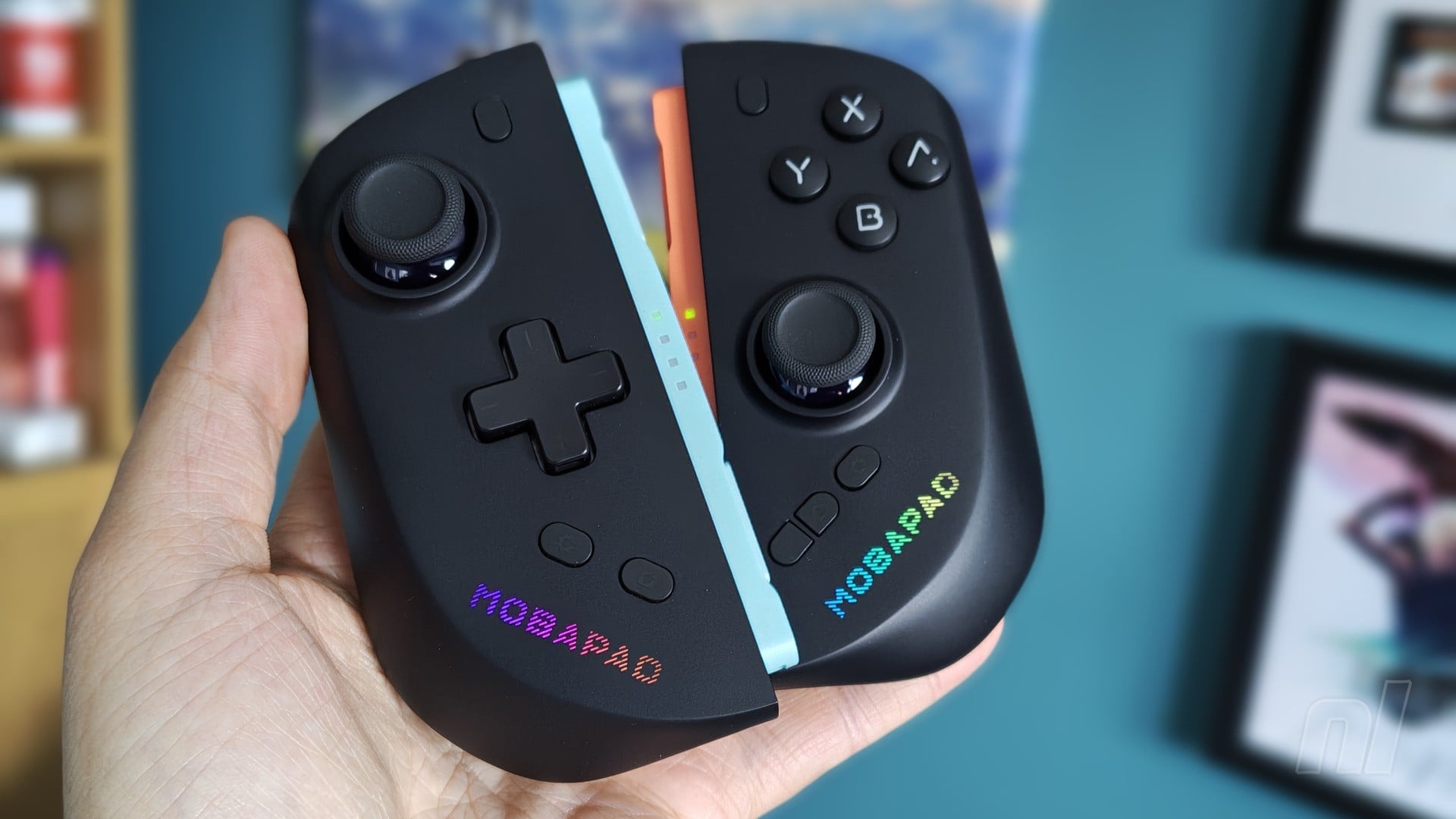
As much as the Switch 2 improved upon its predecessor in terms of design and comfort, it’s still plagued by Joy-Con controllers that, for me at least, feel far too dinky when held. It might be my age talking, but using the console in handheld mode has caused occasional pain in my palms and wrists that makes it difficult for me to use for long periods of time.
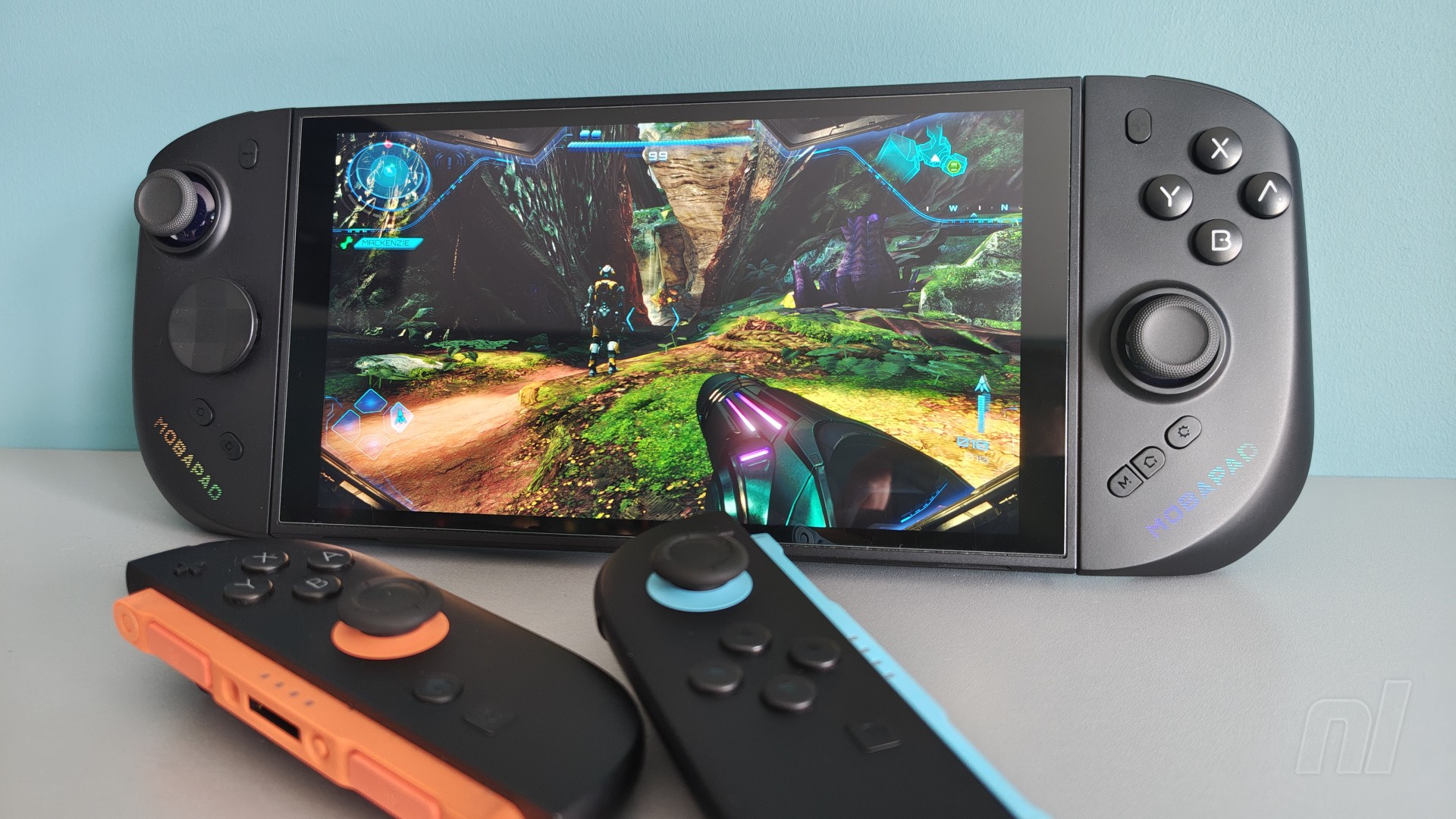
Third-party alternatives seemed inevitable, then, especially in an age of gigantic PC handhelds that frankly put the Joy-Con 2 to shame with their comfortable ergonomics. Two companies have emerged as the early go-to options, and while I’ve yet to try the NYXI Hyperion 3, I’ve been putting Mobapad’s M12-HD through their paces to see if they can become permanent replacements for Nintendo’s official offering.
And, spoiler alert: they’re really good.
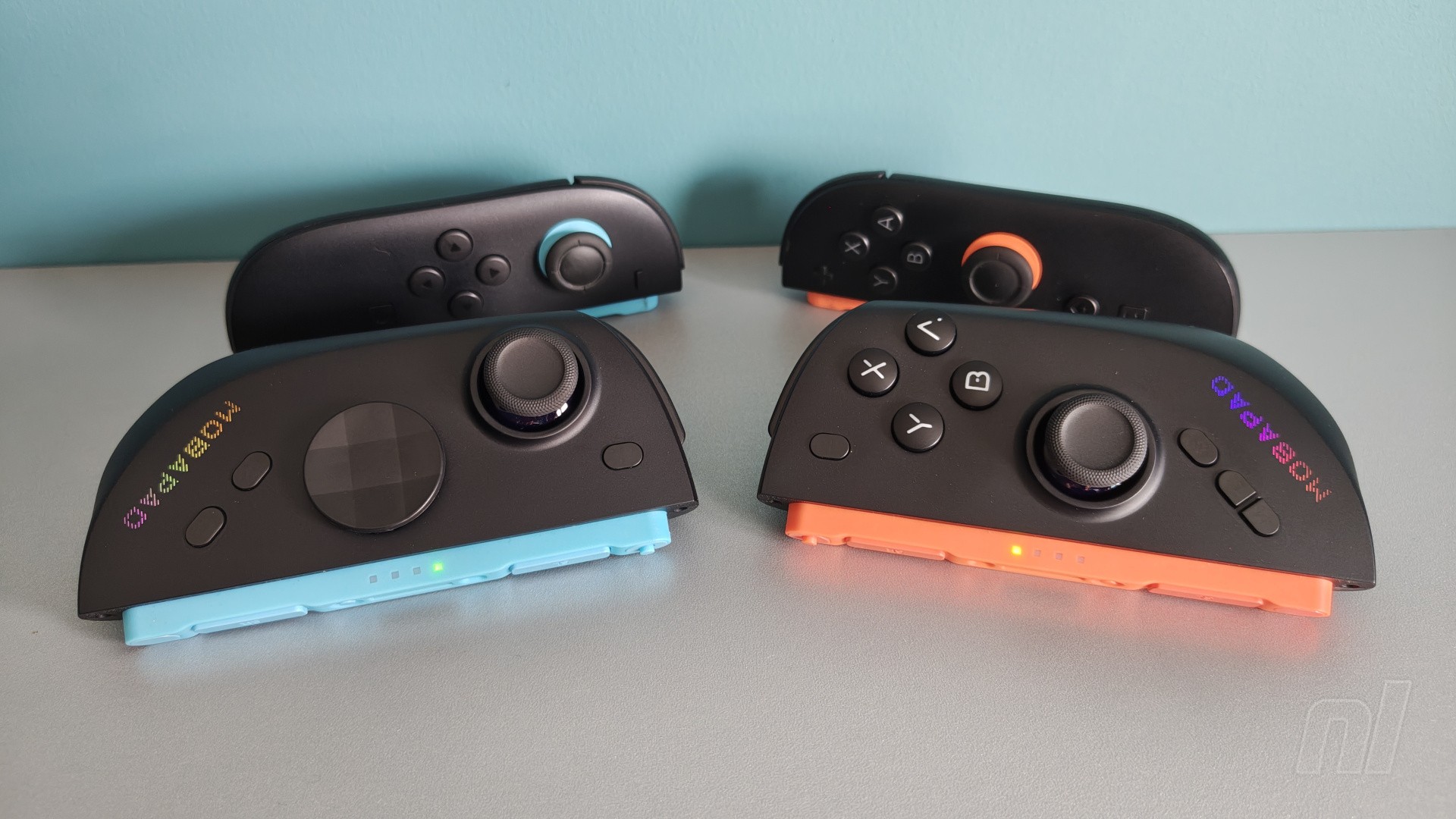
From the moment I yanked the M12 out of their packaging, I could tell that, ergonomically at least, they would be a massive step up from the official Joy-Con 2. The overall shape is more in line with a traditional Pro Controller (or basically any modern pad), with the rear side curving outwards to fit the natural curve of your fingers.
The larger, more comfortable design means that the pain I mentioned earlier is completely eliminated when playing for longer sessions, and it’s really just down to the fact that I don’t have to bend my fingers in an unnatural way to properly grip the M12 – it makes an immediate difference.
Attaching and removing the M12 from the Switch 2 is a familiar experience, with the controllers utilising the console’s magnet design really well. Once locked in place, the Joy-Con don’t move at all. Given the wider design, I’d have expected them to wiggle a little bit more than the official pads, but there’s practically nothing – it’s impressive. Similarly, you need to give them a real good yank if you have any hope of pulling them away from the console without using the release buttons.
You can also use the M12 independently from the console, and the presence of both six-axis gyro controls and HD rumble make this both a breeze and a joy. Would a nine-axis gyro be preferable? On paper, yes, but in practice the motion controls felt perfectly fine in games like Metroid Prime 4: Beyond and Zelda: Skyward Sword.
One thing that’s missing – and it’s really the only major thing missing – is mouse support. The coloured sections of the Joy-Con are identical to the real deal, but the little notch where you’d normally see the mouse sensor is completely blank. Given that the M12 is primarily designed for handheld, it’s not massively surprising, but including mouse controls would have made this an easy slam dunk. For the time being, you’ll need to keep your official Joy-Con on hand for those Drag x Drive sessions.
Like Mobapad’s Chitu 2 HD controller, the M12 utilises the same ‘glide’ technology in the analogue sticks that Nintendo itself pioneered with the Pro Controller 2. Essentially, there’s a silicone ring hidden inside that makes contact with the stick when the latter is pushed toward the edge. This prevents it from making contact with the exterior plastic and grinding down materials, and it makes for an incredibly smooth experience.
In addition, you’ve also got TMR (Tunnel Magnetoresistance) technology that theoretically should prevent any instances of stick drift while also keeping power consumption low and accuracy high. After nearly a year, there’s still no clear evidence of any major drifting issues with the official Joy-Con 2, but if you’re worried about it, then the M12 should give you peace of mind. This, combined with that lovely gliding silicone ring, puts these on par with the Chitu and Pro Controller 2 as the best analogue sticks on the market.
As for the inputs, all of them are clicky microswitches, just like the Chitu. Whether this is a positive or negative for you is subjective, but I found that the clicks aren’t very loud and so shouldn’t cause too many distractions during gameplay.
Otherwise, they feel incredibly tactile and satisfying, and being able to tell exactly when an input has been pressed makes for added accuracy in fast-paced games like Street Fighter 6 or when you’re facing a grueling boss in Hollow Knight: Silksong.
The d-pad, similarly, is clicky, and while I personally prefer this, you might not, so it’s definitely something to consider before going for the M12 – one clear positive is that you can instantly tell when you’ve input diagonal directions thanks to the tactile feedback. The company has recently released a ‘Silent Edition’ of its Chitu pad that uses dampening foam to quieten the inputs, so keep an eye out for something similar in the future if you’re not a fan of clicky inputs.
You also get two distinct d-pad options as standard: a more traditional cross-shaped design, and a ‘shield’ design that’s more akin to the Xbox controller. Swapping them out is pretty straightforward; they just pop out with a bit of force, but I wouldn’t worry about them ever coming loose during play sessions.
You'll find two programmable buttons on the back labelled ‘M1’ and ‘M2’. By default, these aren’t mapped to anything, but you can easily assign any input to them as desired – definitely handy for when you want to hold down the sprint button while still maintaining control of the camera in Zelda: Tears of the Kingdom, for example.
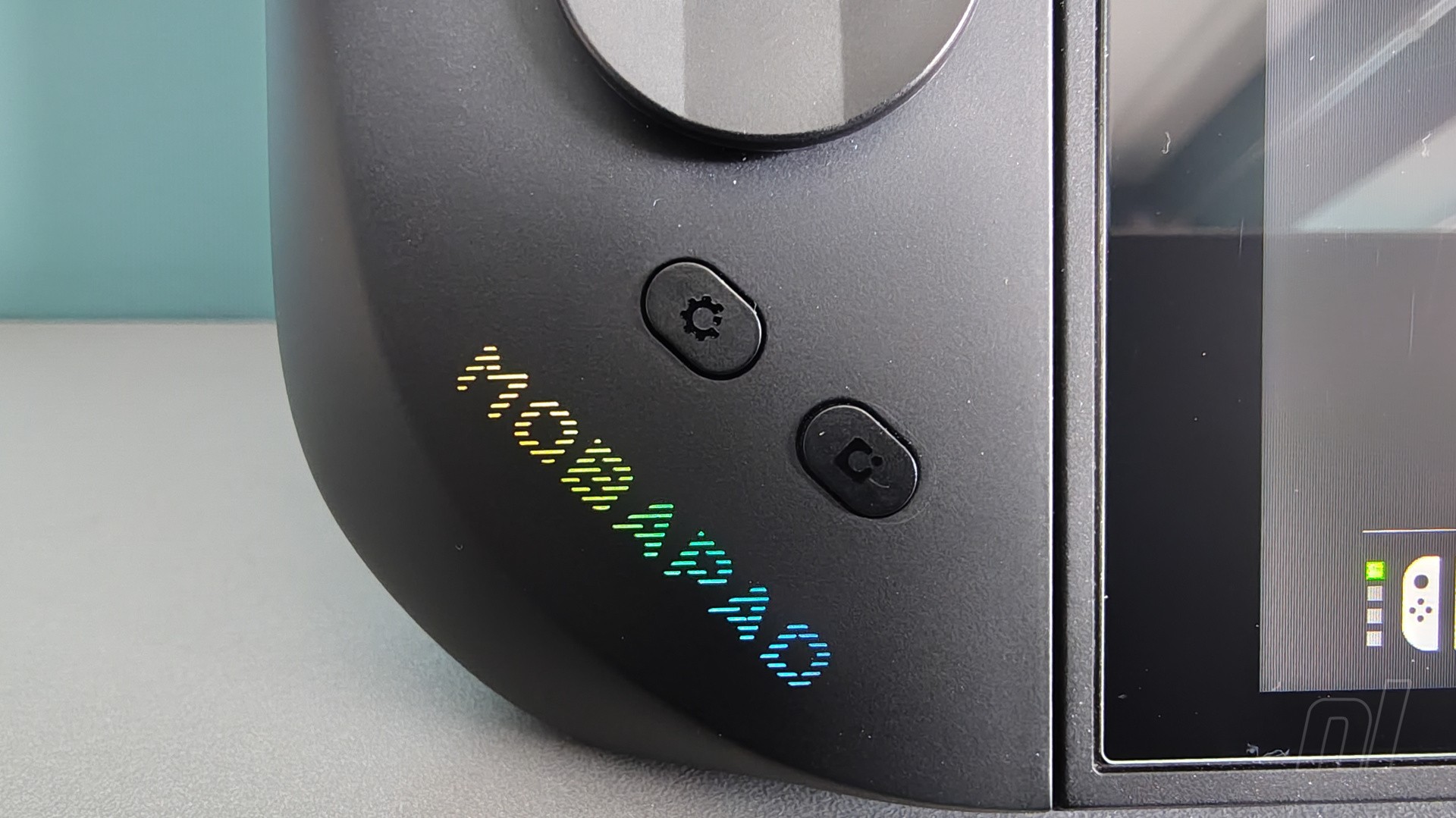
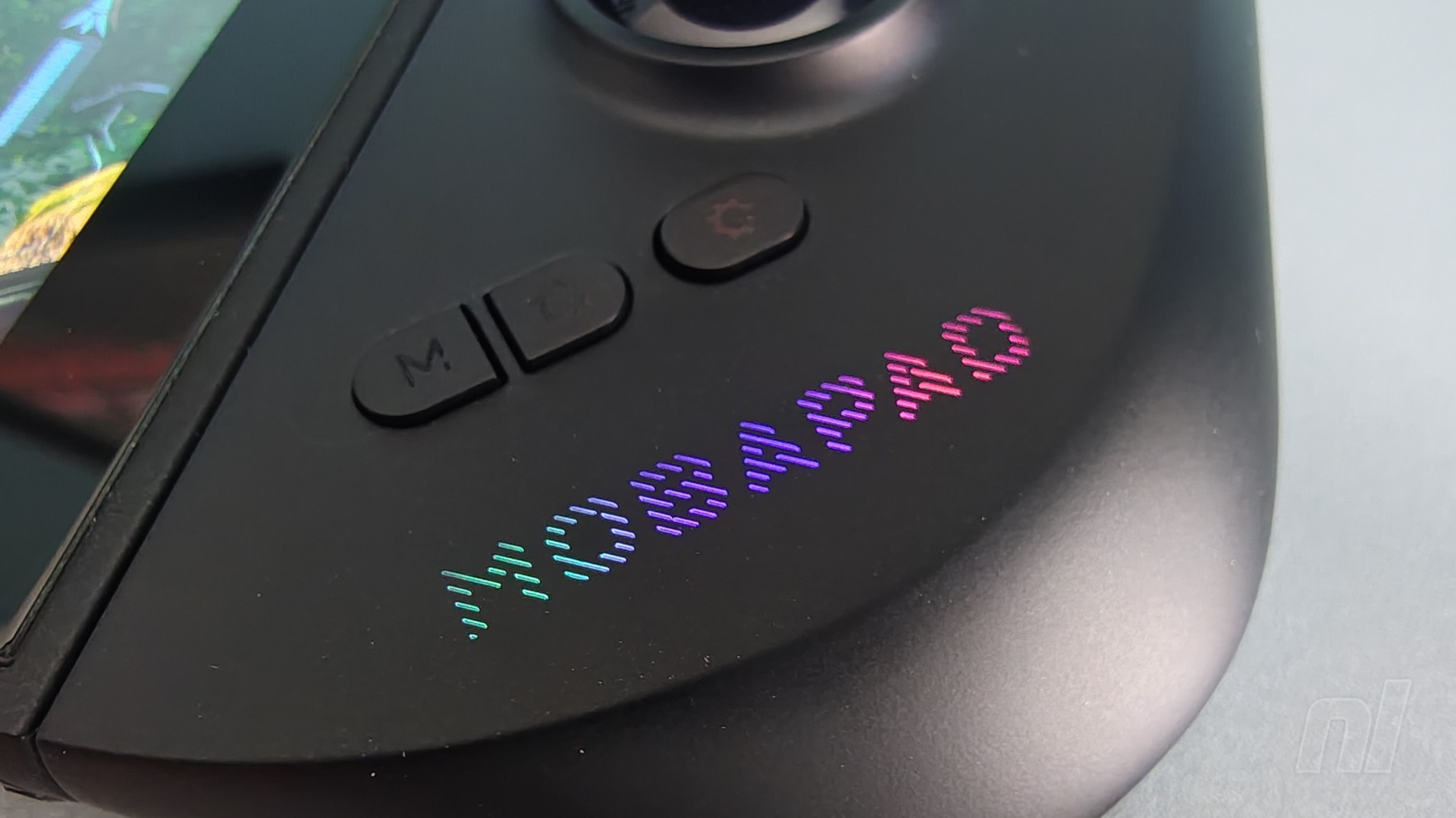
Something that technically isn’t present is a dedicated ‘C’ button, but the M12 circumvents this with its ‘M’ button on the right Joy-Con. This can be remapped to whatever you deem fit, and you do this via the settings button just below the right analogue stick. By default, however, it’s been assigned to a macro that navigates to the chat app via the home screen, so it’s still essentially doing the same thing as a ‘C’ button.
In terms of connectivity, you’ve got two options. To start with, the controllers are recognised as traditional Joy-Con, drawing power from the system itself. Curiously however, they only recharge when the system is actually powered on and in use, so they won’t charge while the Switch 2 is docked and in sleep mode. Not ideal, though I should note that I’ve yet to see the M12 die on me during my extensive testing.
There are also switches on the back of both controllers also have switches that you can flick down to ‘power-saving mode’. This disconnects them from the system itself and instead uses bluetooth to hook up, thus enabling you to keep as much power in the Switch 2 as possible. Personally, I rarely swap to this mode, since I didn’t notice a lot of difference in the console’s battery power while having the M12 connected to the system. Overall battery life for the controllers and the console itself is comparable to using the official Joy-Con 2.
One thing that is quite bizarre, however, is the NFC functionality. This is included for all your amiibo needs, but it’s only active when the M12 is in the bluetooth power-saving mode. A bit weird, for sure, but it only takes a second to flick the switch on the back and tap your figure to the right Joy-Con.
For any firmware updates or easy profile swaps, you can also download the Mobapad app on your phone or tablet. Updating to the latest firmware (version 0.20 at the time of writing) is recommended as this will allow the M12 to wake up your Switch 2 with a tap of the home button, and you can also use it to test buttons, remap as you see fit, and even customise the ‘Mobapad’ RGB lighting on each controller.
Finally, the material used for the controllers’ casing feels nice and smooth, while the backside is textured to ensure a solid grip. Like the official Switch 2 Pro Controller, it’s the kind of material that does attract some nasty finger oils over time, leading to some unsightly smudges here and there. Had Mobapad offered up more colour options, this might not be quite so noticeable, but you can easily see it on the black casing.
Conclusion
Mobapad's M12 HD Joy-Con are a clear step above Nintendo's official offering – y'know, if you ignore the absence of mouse controls. In all seriousness, this is really the only major feature missing from what is otherwise a supremely comfortable set of alternatives that boast what might be the best analogue sticks in a set of Switch 2 Joy-Con so far.
A few small hangups persist, like the fact that the pads only charge when the Switch 2 is powered on and you have to be in the bluetooth mode to use the NFC functionality. If you're a fan of handheld gaming, however, and wish that the official Joy-Con 2 were more ergonomic, then the M12 is a no-brainer.
Please note that some external links on this page are affiliate links, which means if you click them and make a purchase we may receive a small percentage of the sale. Please read our FTC Disclosure for more information.
The sample used in this review was provided by Mobapad.


Comments 33
Looks Pretty good.
Is the DPad identical to the Xbox controller? Been looking for a Dpad controller similar to that.
-5 for ugly design
I strongly dislike that D-Pad.
Been waiting for these for months, and they are still only taking pre-orders in batches which is a shame. I have the previous M6-HD for my Switch OLED (and i have the adapters to make them usable on Switch 2) and they are fantastic controllers, so these will be picked up once they are actually freely available to us normies, as it seems all initial batch stock went to youtubers and influencers and not paying customers.
Nice review but for me no mouse mode is a deal breaker as ive purchased a few games exclusively for that (broken sword and civ7) I didnt see (maybe missed in the review) but are the triggers analogue or clicky, like the official ones? They look clicky.
@Unit_DTH @The-Chosen-one
There are two DPAD's included, the disc type one, and a straight up cross, i use the cross on the previous M6-HD controllers.
@Kidfunkadelic83
Funny how tastes differ eh, i haven't used the mouse controls once, and i got mine launch day. As for the triggers, yeah clicky, no analog as it's not supported on switch.
If these really have TRUE HD Rumble, I'd be impressed...hardly any 3rd party controllers for the entire life of the Switch bothered to support that
I've seen a couple of video reviews where they have compared these with the Nyxi Hyperion 3's and whilst both have their pros and cons, the consensus seems to be that the Nyxis have the edge.
I was gifted the Nyxis and I have to say they have been great, the rumble is junk though, turn it off.
I have the previous version of the Mobapads for my Switch 1, the M6 HD and they are excellent, so I'll watch the third party joy con news with interest. Let's see what updates come out down the line. Nyxi are supposed to be releasing a Pro version and Mobapad will surely improve their range if the general consensus continues to be that they are lagging behind.
Whichever you get, the improvement in ergonomics over the official pads is huge.
Yeah, my hands aren’t that big. I’ll stick with the regular joycon 2.
@BoFiS
They are, as were there previous model on Switch 1.
@The-Chosen-one Both the Mobapad and Nyxi come with a cross and a faceted pad. I like both.
@Ryu_Niiyama
For me it's not about the size per se, more how thin that the Joycons are, just not comfortable at all for me, i need a little more chonk.
Man there’s always a dealbreaker on these 3rd party controllers. They try so hard and get so far, but always fall short in some way.
@neil9000 you should give it a go if you have anything that supports mouse mode. Broken sword is the absolute perfect game for mouse mode. It feels completely at home using it. I even purchased a mouse adapter from amazon for a more natural feel. I cant fault it really. Appreciate the heads up on the triggers 👍
@Kidfunkadelic83
Yeah i get that it's better than not having it, but as someone who has a PC id just play there rather than using the thinnest mouse ever made and using my sofa as a mouse mat.
Options are always good though.
My biggest problem with these (i received them the other day) is that they are, for all intents and purposes, Switch 1 joycons that can attach to a Switch 2. They run on Switch 1 software, hence all the bits that don’t make an awful lot of sense and why they are not recognised by the console properly. I feel miffed off, and a bit mugged off - no doubt they will do them properly later down the line.
Looks comfy, hate the d pad, hate the logo blaring on the front, hate that they don't charge until switch is on. Why did Nintendo make the Joycon 2 so FREAKING FLAT? After they ALREADY made the same mistake with the Switch? Baffling!
@Banksie
When they announced these they also announced a Pro version (currently not showing on the website) those are switch 2 native protocol, but have standard rumble, and a few other missing features.
Currently either version have pro's and con's as companies are struggling to reverse engineer the protocols fully.
But are they HD rumble 2?
Would actually consider if it had mouse support, now it's a hard pass.
Thanks for the review, personally I'll stick to the Joy-Cons to have all their features (also helps that I don't particularly need these in the first place since the former are comfortable enough for me) - that said, glad such controllers are finally available for those interested in them!
Great to see they weren't 6 out 10, phew! The only drifting I'm experiencing is on Mario Kart and that drifting is deliberate, so I'm good with my official Nintendo joycons for now. But great to see a very good alternative if I need to purchase new joycons in the future.
Are these wider than the standard joy-cons, ie, will they fit in a standard case when connected to the Switch?
These are tempting, but I'm still waiting to see if Hori is going to come out with a Switch 2 version of the Split Pad Pro.
@jedomann I would say looking at the pictures above, they are wider and no they won't fit in a standard official case.
@Wood_Stick god yes, the logo is way too big and the "2002 knockoff controller" font on the buttons is sickening.
@neil9000 I'm just a normie and I got a pre order in for the S model. They have been dispatched an on the way. I'm glad I didnt go for this model with all it's shortcomings due to being a S1 joycon.
@Banksie They were crystal clear from day one that the HD model were Switch 1 joycon. It was always the S model (which is shipping out right now) that is a true Switch 2 joy con, but does not have HD rumble.
I ordered the S model for this reason. The HD was always going to be compromised in some way.
@Windbreaker1612 That’s my thought as well. Thanks.
@jedomann no worries.
Did they really have to have that ugly Mobapad text on both joycons….. 🤮🤮🤮🤮 bad taste in aesthetic design…
Are the M1 and M2 buttons on the back recognized as GL and GR buttons by Welcome Tour? I still haven't gotten a S2 pro controller or charging grip so i haven't been able to do those levels.
@neil9000
That's not true. Back in February Mobapad sent their regular customers (including me) an email saying that you can now preorder the M12 HD, and if you went to their site back then, you could indeed place a preorder for the first batch of these controllers, which were then shipped the beginning of this month. I can guarantee you I'm not a Youtuber nor an influencer, just someone who'd bought Switch 1 accessories from Mobapad before.
Once I got the M12 a couple of weeks ago, I started a thread on the Nintendo Life forum where I've shared my experiences with them, both positive and negative:
https://www.nintendolife.com/forums/nintendo-switch-2/mobapad_m12_alternative_for_joycon_2
Show Comments
Leave A Comment
Hold on there, you need to login to post a comment...