 by
by 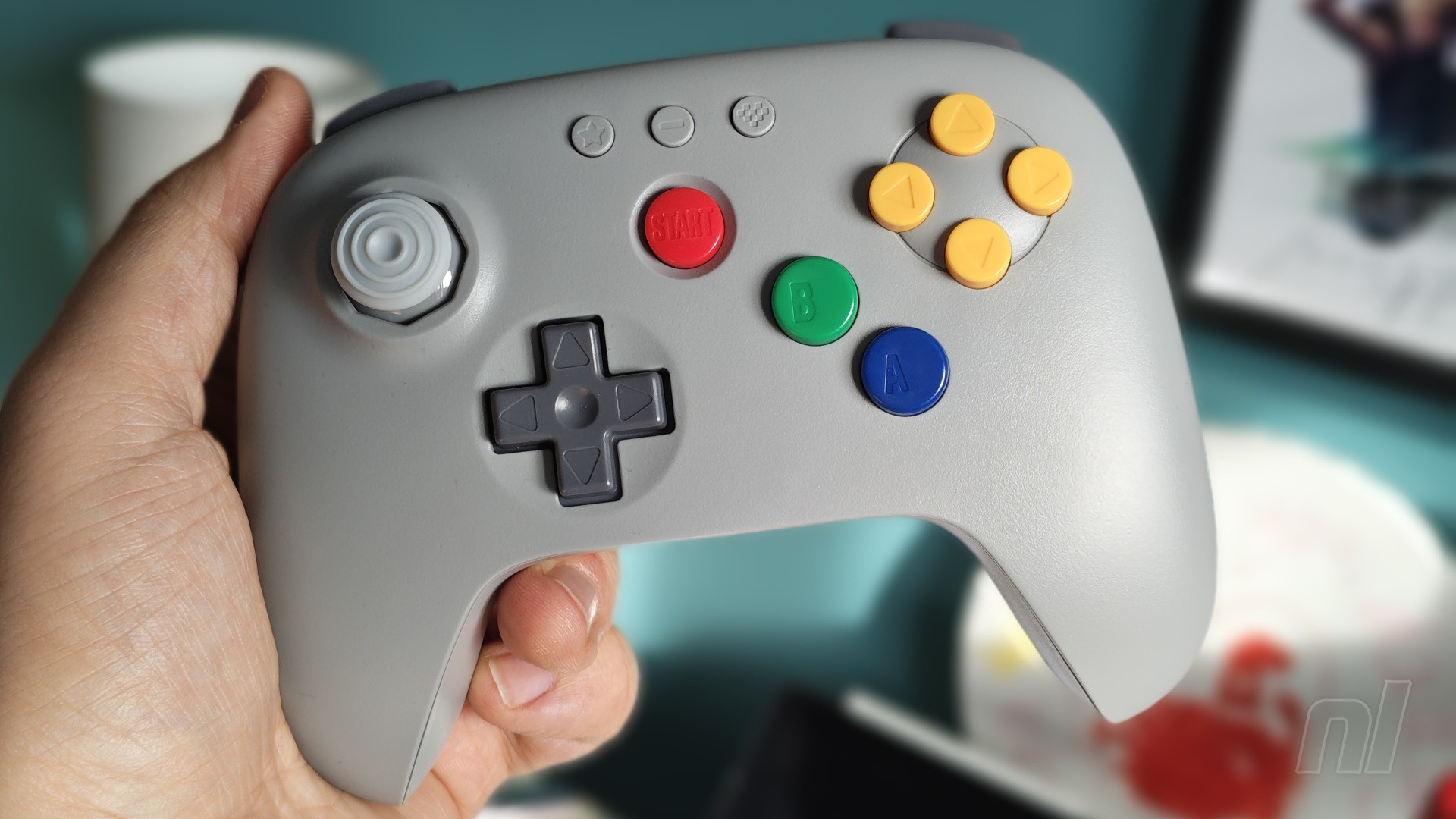
If you’ve been in the market for an Analogue 3D, then chances are you’ve already seen 8BitDo’s accompanying 64 Bluetooth Controller. Although originally only available in black or white, 8BitDo now has a variant that pays homage to the original N64 grey colour scheme, so now seems the perfect time to check it out and see if it’s worth your money.
Coming in at £34.99 / $44.99, the 8BitDo 64 is actually slightly more affordable than Nintendo’s own N64 wireless controller for Switch Online (£39.99 / $54.99). In terms of core functionality, however, the two are about as close as you can get. 8BitDo has essentially taken all of those inputs (including the new ‘ZR’) and rearranged them into a more modernised layout.
It’s not the first to do this — no doubt you’ve seen Retro Fighter’s Brawler64 knocking about too — but this is arguably the one that feels the most ‘Nintendo’ in its design.
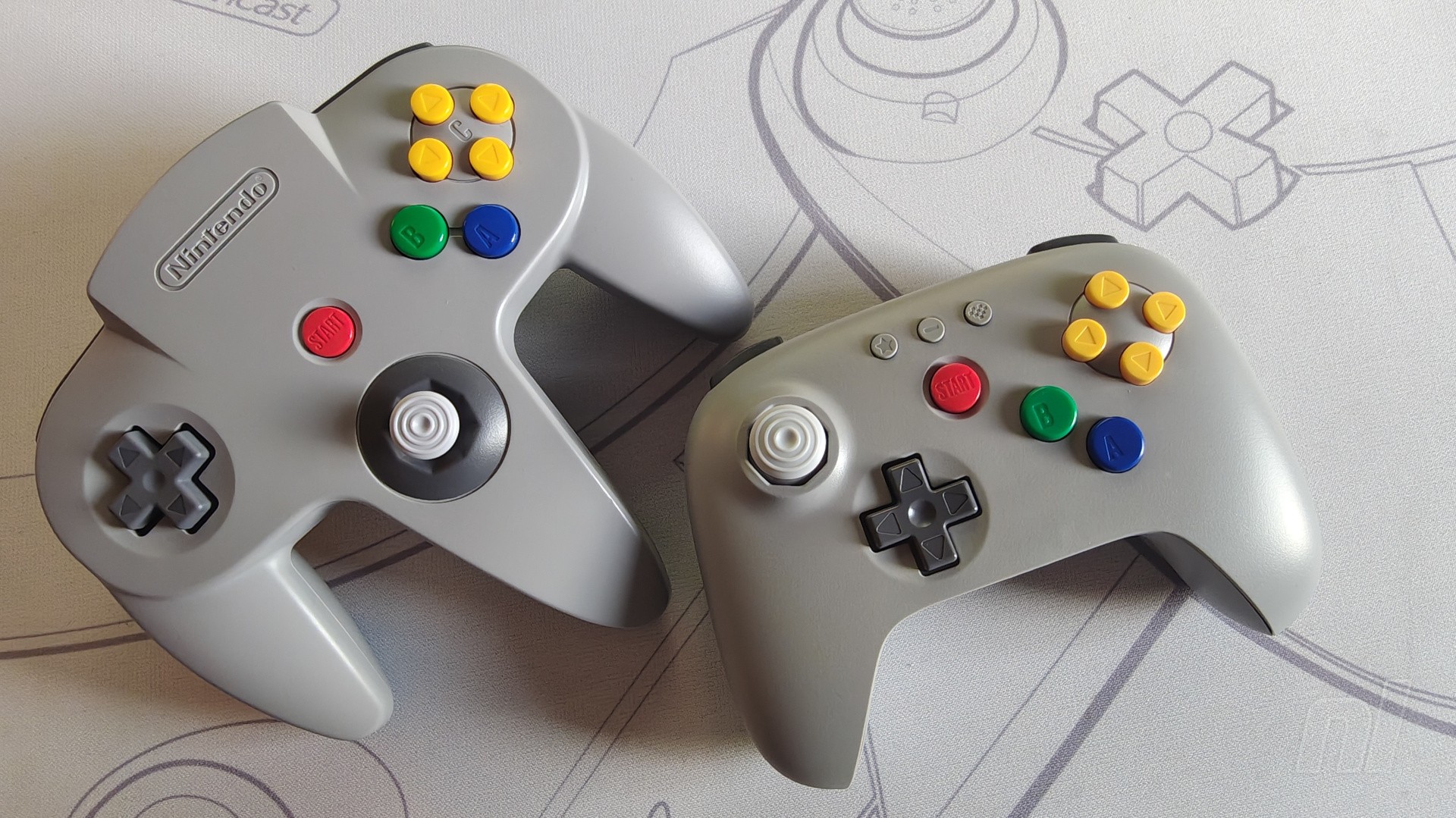
Seriously, this really feels like something Nintendo itself could have put together as an alternative to the classic ‘M-shaped’ pad from the ‘90s, which is testament to 8BitDo's care and attention. The weight (226g vs approx 233g for the official pad), the texture of the shell, the size of the buttons, the D-pad; it all comes together wonderfully to emulate the feel of a first-party accessory.
The only major thing that’s different here — besides the obvious change in shape and layout — is the analogue stick. The original N64 pad used a spindly, digital joystick, but naturally this just isn’t the standard in 2026. Instead, 8BitDo has opted for a Hall Effect stick that retains the octagonal gate; functionally, it feels more in line with the left analogue stick on the GameCube pad, with the added peace of mind that it probably won’t be drifting anytime soon. It also clicks in to simulate an ‘L3’ input, which feels a little weird, but you might well find some use for this outside of the N64 NSO catalogue.
My biggest gripe with the analogue stick is that it’s a tad sensitive compared to Nintendo’s. Moving the aiming reticle around on GoldenEye 007 is a little fiddly as a result; not egregiously so, but it’ll certainly take a bit of getting used to.
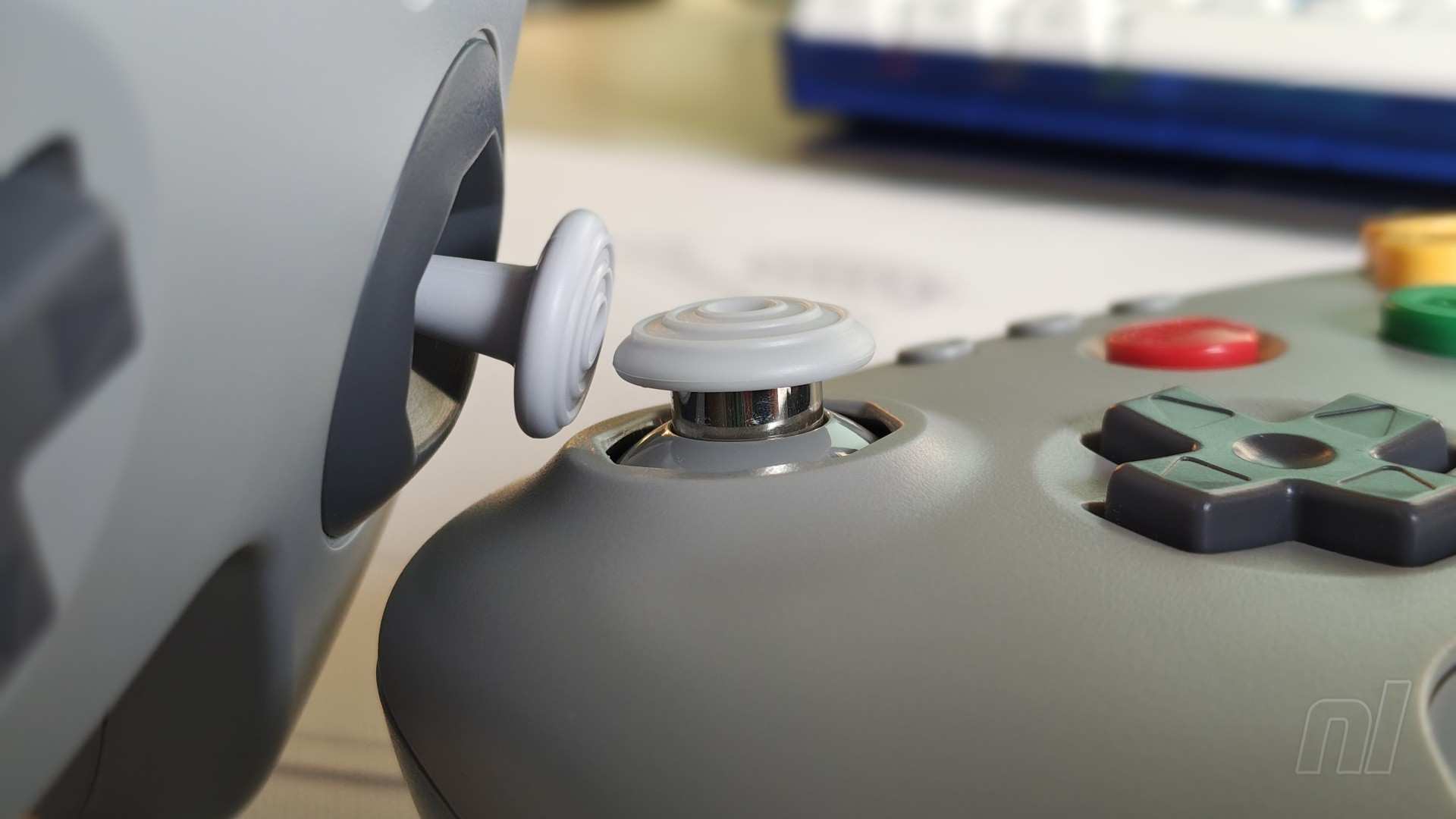
The D-pad is fantastic. Compared to the original, it doesn’t ‘wiggle’ quite as much, and whether you prefer this or not will come down to personal preference. Inputs are responsive, however, with minimal accidental diagonals when testing it out in the settings.
Going back to the shape, the 64 pad shares a lot in common with the 8BitDo Ultimate 2C, and this seems to be the standard for most of the company’s pads. The D-pad now sits diagonally below the analogue stick to the right, allowing you to quickly swap between the two with your thumb. Meanwhile, the ‘A’, ‘B’, and ‘C’ inputs retain the same layout as the original. Up on top, ‘L’, ‘R’, and ‘Z’ are positioned in the standard shoulder button positions.
You’ve also got the new ‘ZR’ input from the Switch's N64 pad, which for the NSO catalogue at least, brings up the app menu in-game. Weirdly, it’s just labelled ‘Z’ here, exactly the same as the left input, though its functionality is fundamentally different. It makes for a brief moment of confusion as you look at the buttons and labelling.
Once you’re up and running, though, you really won’t notice. Zooming along in F-Zero X feels just as natural as ever, utilising ‘Z’ and ‘R’ to slide sideways and attack your rivals. There’s a part of me that wishes the two inputs on the right — that’s ‘R’ and ‘Z’ (‘ZR’) — were swapped around given how much more you’re likely to press ‘R’ during gameplay, but this is ultimately a minor nitpick. You could always remap them in the NSO app. Overall, I’d say 8BitDo has done a fantastic job in adapting the admittedly bizarre layout of the N64 pad into something more accommodating for newcomers and younger players.
Connecting the 64 pad to the Switch 1 or 2 is painless. It’s compatible with the latter right out of the box, but I’d encourage you to regularly check for any available updates regardless. As far as I can tell, there’s no wake-up functionality for Switch 2, so hopefully this is added at a later date.
It’s also worth noting that the controller is recognised as an N64 pad when connected, so while you can remap inputs in the N64 NSO app, you can’t do any system-level remapping. Finally, battery life is estimated at 36 hours on a single charge, and from my experience with it, I’ve barely had to plug it in – it’s a beast.
The model I received is not only compatible with Switches, but also PC, Android, and of course, the Analogue 3D (and a small toggle on the back of the device can change its connectivity settings). There is, however, a 2.4G model at the same price that’s primarily designed to work with your original N64 with an included dongle. You’re sacrificing Switch compatibility for this, but it’s an option if you’re looking for a replacement.
Conclusion
The 8BitDo 64 is a great alternative to Nintendo’s official N64 pad for the Switch. If pressed, I’d probably still recommend the latter for a truly authentic experience, but given the higher price of that, you can’t go wrong with this. It provides a more recognisable layout for newcomers, but somehow retains the ‘feel’ of the real deal.
It’s not perfect. The duplicate ‘Z’ labelling is a bit odd, and the overly-sensitive analogue stick may take a bit of getting used to, but if you’re after an affordable way to play the N64 app on Switch with ‘proper’ controls, look no further.
The samples used in this review was provided by 8BitDo.
Please note that some external links on this page are affiliate links, which means if you click them and make a purchase we may receive a small percentage of the sale. Please read our FTC Disclosure for more information.