
Since it launched back in early 2025, trading has had quite the facelift in Pokémon Trading Card Game Pocket.
In this guide, we'll be covering how to trade cards in Pokémon TCG Pocket, all the required consumable items and the different approaches you'll need to take for varying card rarities.
Subscribe to Nintendo Life on YouTube844k
How To Trade Cards In Pokémon Trading Card Game Pocket

While the trading feature was actually introduced back in the ver. 1.1.0 update, you'll need to ensure your app is updated to ver. 1.3.0 or higher to trade via the new method. You may have to head to your device's app store and apply the update manually by visiting the game page.
Making a Trade
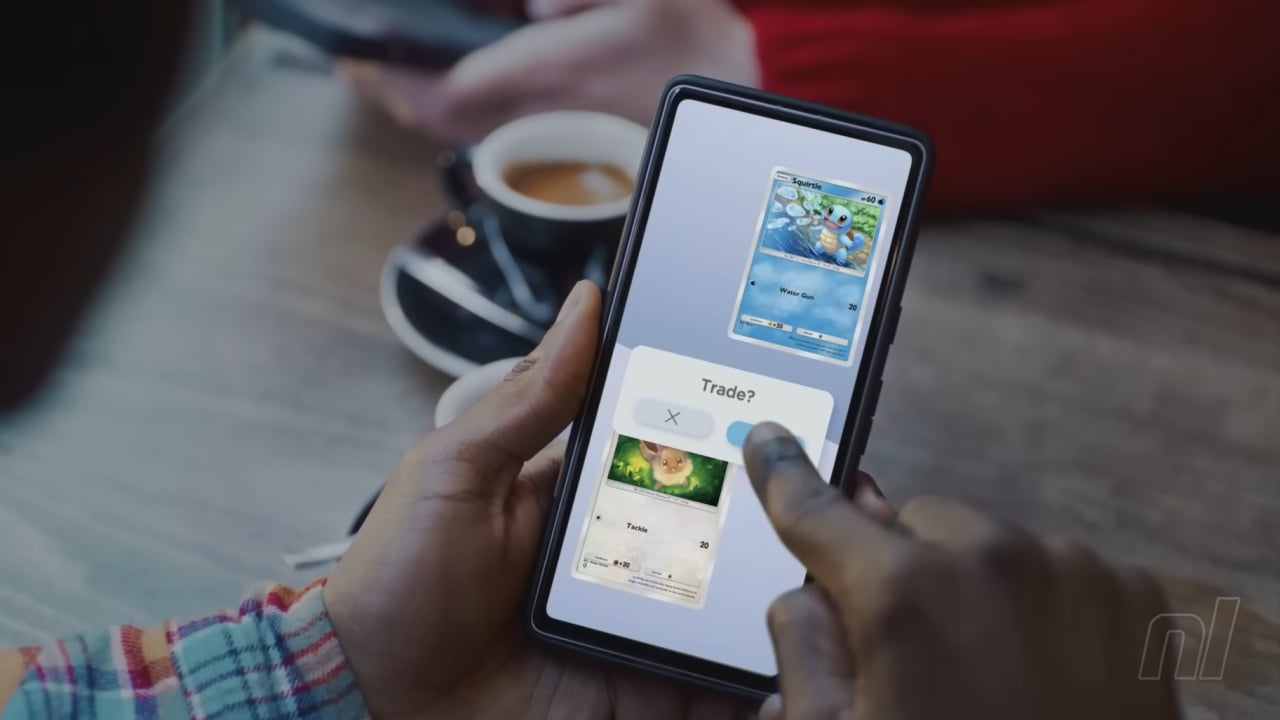
With everything updated, you're ready to go! To start any trade in Pokémon TCG Pocket, head to the 'Social Hub' tab by pressing the middle icon on the app's main menu bar and select 'Trade'. Press the highlighted 'Trade' button at the bottom of the screen and select a Friend that you want to trade with.
You can only trade for cards of the same rarity, so if you're chasing a ◇3 card, you have to list a ◇3 card; if you're after a ☆1 card, you have to list a ☆1 card, and so on.
To trade a card with either ◇1 or ◇2 rarity, complete the steps outlined above, then select the card you're willing to trade from either from your friend's Wishlist, or from your deck (you can sort by Card Number, Type, Rarity, Recent or Duplicates by tapping the filter icon in the bottom-right corner of the screen).
Trading cards with higher rarity (◇3 to ☆1) require an extra consumable, Shinedust, to be swapped. You can redeem Shinedust by completing missions or collecting duplicate cards.
We've outlined the required number of Trade Tokens for higher-rarity trades below:
| Card Rarity | Required Shinedust |
|---|---|
|
◇3 |
1,200 |
| ◇4 | 5,000 |
| ☆1 | 4,000 |
Once you have selected your card, press 'OK' to see the trade-in-principal, and press it again to send it to your Trade Partner.
You'll receive a notification when your Friend replies to the request. Select 'View' on the Trade homepage to see your Friend's offer and then either press 'Decline' or 'Trade'. Swipe up on your card to send it away and you will receive the offer card in return.
Accepting a Trade
If your Friend has sent you a trade request, the process is slightly different. Once you receive a trade notification, head to the 'Trade' page in the Social Hub and select 'View'. From here, you can choose to 'Decline' or 'Accept' based on your preference.
If you want to accept the trade, select a card from your collection with the same rarity rating as the offered card and press 'OK'.
With that out of the way, the trade is now in process. Wait to see whether your Trading Partner accepts and follow the same steps outlined above once the trade goes through.
Making a Wishlist
All of the above is well and good, but how do you know what cards your partner is after? The ver.1.3.0 update introduced Wishlists to solve just that.
To make a Wishlist in Pokémon TCG Pocket, head to 'My Cards' and press on the card you're after (it helps to hit the binder switch to see all sets laid out numerically). With the card selected, tap the 'Wishlist' heart in the top right corner. That's it!
You can add up to 20 cards to your Wishlist, all of which are displayed at the top of the pile when a friend chooses to trade with you. You can even pin three wishlisted cards to your profile for extra visibility by pressing your profile icon at the top of the home screen, and scrolling until you see the 'Wishlist' section.
To remove cards from your Wishlist, scroll to the same profile section mentioned above and tap any one of your three pinned cards. Once the menu pops up, press 'Remove Cards' in the top right, then hit the red minus button on any card you want to remove.
Pokémon TCG Pocket Trading FAQs
Still want to know more about Pokémon TCG Pocket's Trade feature? In this section, we'll answer some frequently asked questions on the subject.
Who can I trade cards with?
Currently, you can only trade with users that you have registered as a Friend.
That means you'll need to make friend requests and add users to your Friend List before you can even trade cards.
How do I refill my Trade Stamina?
Each trade costs you one 'piece' of Trade Stamina and you'll naturally recover one 'piece' every 24 hours.
Much like Wonder Stamina, you can use Trade Hourglasses and Poké Gold to speed up the recovery process. The more Stamina you want to recover, the more items you'll have to cough up.
Can I trade all cards?
At the moment, you can only trade cards up to ☆1 rarity in all available expansions. This means cards of ☆2 and above and Promo cards are off the table, for the time being.
How many trades can I do per day?
While you can only have one trade request active at once, you can perform as many trades per day as you would like.
Of course, this is reliant on you having enough consumables to keep your Trade Stamina replenished, but with the right amount of Poké Gold, you could theoretically keep trading all day.
Where can I find my active trades?
If you want to check the progress on your active trade at any time, select 'View' on the Trade home page. Trades marked with an exclamation mark notification signify there's been a development, so be sure to keep an eye out for those.
Can I cancel a trade?
Yes, you can! To cancel an active trade, press 'View' on the Trade page and then select 'Terminate Trade' in the bottom-left corner.
If you choose to terminate a trade, your offered card and Trade Stamina will be sent back to you. Aaaand relax!
Now you're ready to start trading! For more information on which cards to look out for, check out our other Pokémon TCG Pocket guides for tips on building the best decks and which packs to open first.


Comments 1
Thanks for the upbeat guide, but where's the acknowledgement of how absolutely ridiculous, predatory, and insulting this trade system is? You can't pick the cards you want in return, common cards are worthless and can't be traded, and you have to consume a bunch of rare cards to get 1 rare card back? Absolutely insane. Glad the other gaming sites are talking about it
Show Comments
Leave A Comment
Hold on there, you need to login to post a comment...