
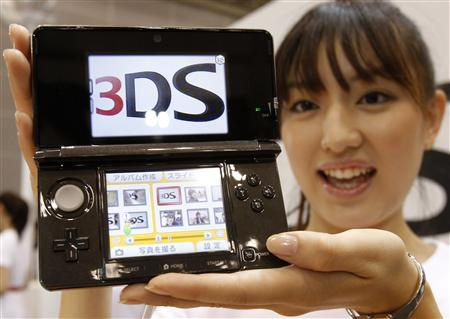
The 3DS system update that adds folder support is available now.
To get the update, simply follow these instructions:
- Make sure your 3DS is charged up or near a charger; it may take a while.
- Open System Settings — the spanner on your main menu.
- Select "Other Settings".
- Scroll to the page furthest to the right.
- Select System Update and navigate the agreements there.
It's not a huge update so shouldn't take that long. We'll bring you a guide to the new improvements a little later.


Comments 18
The folders are pretty good! Makes everything so much easier, but could do with more than one letter to differentiate, but then the name is displayed on the top screen. A nice touch.
Why do I only see first letter? -.- I have now two folders with D (DSiWare & Demos) and the blue is boring.
I put "3DS Demos" and "DSiWare"
Well you can only see one letter, but on the top screen when a folder is highlighted it says the whole name.
I've already taken to putting shapes and symbols in front of my folder titles in order to "jazz" them up.
Good idea RevolverLink! I'm in the process of downloading now, if blue is the only color that kinda sucks. Hopefully they release another update that allows different colors and maybe some basic pictures like a Mario face or something to make them even better.
I was thinking of saving my internet from this update for download limit reasons, but it looked like it wouldn't take such a bite out of it. This is one great update. I like the folders, and the new E-Shop layout.
Changing the colour of folders would have been nice but not essential. Not too keen on just having one letter on the folder so I have been putting a space first so to leave my folder blank... but Im liking the idea of putting a symbol first.
Symbols? I made it so it greets me when I boot up my system! It says "3DS JACK".
If you're wondering, which you aren't, I did
3DSWare/Demos
DSiWare
SoftwareBuilt-In
Jack's 3DS Apps
(Game Boy) Advance Games
Console Virtual
Kool NES Gamez
Hooray for wasting 10 minutes of life on the Home Menu!
I'd rather be able to color code the folders, they all being light blue kind of bugs me.
Colors would be nice, I've also taken to using symbols, my menu shrank from having 40+ games to 7 folders, plus the system settings, cartridge, eShop and SwapNote, I wanted those outside of the folders.
I updated and don't see ANYTHING NEW other than the eShop. WTF?!?
@hydeks Selecct an empty space on the home menu, there will be a "Create Folder" button on the bottom.
Yep already updated and organized!
@Applejacklove
3DS Updates are so small your Data Cap wouldn't notice. Watching a Video online would use up alot more Bandwidth then the 3DS update.
LEVEL UP !
Aww the update didn't come with the cute girl
Its just a minor update with folder option nothing interesting besides that. Weak
Tap here to load 18 comments
Leave A Comment
Hold on there, you need to login to post a comment...